GrowIt: Vegetable Garden Care
- 4.3
- Rating
- 500.00K
- Installs
- Free
- Price

 Analysis by App-foxy
I approached GrowIt: Vegetable Garden Care as a practical lifestyle app rather than something to browse once and forget. Its purpose is clear: help me learn about growing vegetables and fruit through a mobile planting guide. That makes it most interesting for people who want a little structure around a garden, balcony planter, or first attempt at growing food, but who do not necessarily want to begin with a thick gardening book.
The app comes from Glority Global Group Ltd. and is available as a free download for everyone. It has reached over 500 thousand installs and holds a 4.3 average from around 4.4 thousand ratings, which suggests that the basic idea is connecting with a reasonably broad audience. After spending time with it, my main question was not whether the concept works during the first enthusiastic week. It does. The more important question is whether the guidance remains useful once the novelty of planning a garden starts to fade.
What the first week feels like
The first appeal is the focus. Instead of treating gardening as an enormous subject with endless plant varieties, GrowIt presents itself around the everyday goal of growing vegetables and fruit. That narrower purpose makes it easier for me to move from “I should grow something” to a more concrete starting point. It feels suited to the person standing in a garden center, looking at seed packets and wondering what to do next.
You May Also Like

 Blood Strike: 2.5 Anniversary
Blood Strike’s Loadouts Turn Every Drop Into a Tactical Gamble
A close look at Blood Strike’s custom loadouts: how fast access to signature weapons reshapes its battle royale rhythm, rewards preparation, and narrows the gap between fights.

 Pandora - Music & Podcasts
Pandora’s Music Is Easy to Start, but Harder to Recover
Pandora’s strength is its low-effort path from a seed to a station. Its weak spot is how much confidence it asks you to place in connection, setup, and quiet recovery.

 8 Ball Pool
 Is Built on Rivalries, Rematches, and Routine
A close look at the rivalries, rematches, shared routines, and unanswered safety questions that turn a quick pool match into a persistent mobile community.

 Samsung Music
’s Quiet Strength Is Playing What You Already Own
Its reach comes less from spectacle than from dependable access to a personal library. That simplicity is both the app’s strongest retention engine and its ceiling.

 AccuWeather: Weather Radar
AccuWeather Review: A Quick, Clear Forecast for Everyday Decisions
For everyday plans, the best forecast is the one you can understand quickly. AccuWeather makes rain timing, radar, and local conditions easy to act on, with a few trade-offs.

 Hill Climb Racing
Why Hill Climb Racing Still Turns Crashes Into One More Run
A tiny car, a bumpy hill and one more upgrade: Hill Climb Racing keeps resurfacing because its simple chaos makes every near-miss feel personal.
More From Our News Desk
View All News


I can also see why the app works well for beginners. Gardening advice often assumes that the reader already understands terms, seasons, soil conditions, and the difference between a plant that needs patience and one that needs immediate attention. A dedicated mobile guide gives me a more approachable reference point. I do not have to search through unrelated lifestyle content every time I need to refresh my memory about a crop.
Its free entry point matters here. I can try the guide without committing money before knowing whether it fits my routine. That is especially useful for someone experimenting with a few containers on a balcony or growing herbs and vegetables for the first time. The Everyone content rating also makes it a comfortable choice for a household where younger family members want to take part in planting.
My strongest first-week recommendation is to use it beside the plants, not only while sitting indoors. I would choose a small number of crops, read the relevant guidance, and then turn the information into a simple routine: check the growing area, look at the plants, and note what needs attention. The app becomes more valuable when it supports an action rather than acting as another source of pleasant reading.
There is a subtle advantage in starting small. A guide can make gardening appear neatly organized, but real plants do not always follow a clean schedule. By limiting the first experiment, I can compare what the app suggests with what I actually see. That helps me learn which advice is broadly useful and which decisions depend on my local light, temperature, container, or soil.
Useful for planning, less useful as a complete gardening authority
I would not treat GrowIt as a replacement for every other gardening resource. A mobile guide is convenient for general direction, but experienced growers may still want local information about weather, pests, soil, and planting conditions. Those details can vary dramatically even between nearby areas. The app is best viewed as a starting framework that helps me ask better questions, not as permission to ignore the garden in front of me.
That distinction is important for new growers. If a plant looks stressed, I should not automatically assume that following a general instruction will solve the problem. I would use the app to identify likely care considerations, then check the plant’s actual condition. Leaves, moisture, sunlight, and recent weather remain more informative than any single generic instruction.
Another practical point is that a guide only helps if I can find the information quickly. When I am outside with wet hands or trying to remember a care step, long explanations are less useful than clear, focused guidance. GrowIt’s value therefore depends on how well its plant information fits a quick-reference habit. If I have to read too much before finding the relevant point, the convenience of a phone guide starts to disappear.
Month-to-month value depends on habit
After the initial excitement, the app’s recurring value comes from repetition. Plant care is not a one-time project. I need to observe, water appropriately, adjust the position of containers, and notice changes before they become serious. A guide can keep those tasks visible in my mind, but it cannot create the habit on its own. That is the central test for long-term usefulness.
In an ordinary scenario, I might check the app on a weekend morning before visiting a balcony planter. I would review the guidance for the vegetables I chose, inspect the leaves and soil, and then decide whether the plants need attention. The useful part is not simply reading the same information again. It is using the guide as a prompt to make observation part of a regular routine.
I would also use it when planning the next planting rather than waiting until the current crop is finished. This creates a better month-to-month workflow: learn about one crop, observe how it behaves, and use that experience to choose the next one. A beginner can gradually move from following instructions to understanding why certain plants suit a particular space better than others.
That said, the app is unlikely to feel equally valuable every week. Gardening has quiet periods. Once I understand the basic care of a plant, repeatedly opening the same guide may feel unnecessary. This is where the product either earns lasting space or becomes a short-lived download. Its recurring value is strongest when I am actively choosing crops, troubleshooting uncertainty, or building a care routine. It is weaker when my garden is stable and needs only quick visual checks.
My advice is not to force daily use. I would open the app at decision points: before planting, when growth changes, when a plant looks different, and when preparing for the next stage. That approach avoids turning gardening into an obligation to consult a screen. The phone should support the hobby, not become the hobby.
A workflow that makes the guide more useful
I found that a simple three-step approach gives a planting guide more staying power. First, I select crops that match the space I realistically have, rather than choosing only what looks appealing. Second, I read the relevant guidance before buying or planting. Third, I compare the advice with the actual conditions over time. This prevents the common mistake of collecting information without changing what I do.
A second useful tactic is to separate “must do” care from “nice to know” information. When I am busy, I need to identify the actions that protect the plant immediately. More detailed reading can wait for a quieter moment. This makes the app easier to keep in my routine and reduces the feeling that I need to become an expert before starting.
I would also avoid using the app as a reason to grow too many varieties at once. More plants mean more care differences, more opportunities for confusion, and a greater chance that the project becomes tiring. GrowIt is more helpful when it gives me confidence with a manageable selection than when it encourages an ambitious garden I cannot maintain.
The real maintenance burden
The app itself is easy to fit into a routine because it is free to start and belongs to the lifestyle category rather than demanding a major technical commitment. The larger burden comes from the subject it covers. Gardening requires attention in the physical world. No guide can remove watering decisions, changing light, damaged leaves, unexpected growth, or the disappointment of a plant that fails.
That makes the app a good match for people who want guidance but are willing to look after the plants themselves. It is not a solution for someone hoping to automate the garden or receive a complete answer without observation. If I am away often, forget care tasks, or dislike repeating small maintenance jobs, the app may remind me what should happen without making those tasks enjoyable.
There is also a difference between reading about care and carrying it out. A beginner may understand an instruction but still struggle to judge moisture, sunlight, or plant health in practice. I would expect a learning curve, especially when conditions do not match the ideal situation described in a guide. The app can shorten that curve, but it cannot provide hands-on feedback.
For that reason, I would pair the app with a very small physical routine. I might keep a note of when I planted something, take occasional photos, and inspect the same parts of the garden each time. These habits make the guide more useful because I can compare advice with visible changes instead of relying on memory. They also reveal whether I am genuinely learning or merely reopening the same page.
The free model is welcoming, but users should pay attention to the point at which optional purchases become relevant. In-app purchases range from $5.99 to $39.99 per item. That does not make the app a bad choice, but it does mean I would decide early whether the free experience already covers my needs. For casual beginners, paying should feel like a deliberate upgrade, not something necessary to justify the download.
Where fatigue can appear
The first source of fatigue is repetition. Plant care naturally revisits the same themes, and a guide can start to feel predictable once I have learned the basics. That is not necessarily a flaw; repetition is part of learning. Still, users looking for constant novelty may lose interest after the planning stage.
The second is the gap between tidy advice and untidy results. A plant may grow slowly, react differently than expected, or fail despite reasonable care. If I expect the app to provide certainty, frustration will follow. I get better results when I use its guidance as a baseline and accept that gardening involves adjustment.
The third is screen dependence. The app is useful when I need a reference, but checking a phone can interrupt the sensory side of gardening. I do not want to spend the whole session reading when the important information is in the leaves, soil, and light. The healthiest use is brief consultation followed by direct observation.
Finally, the app may not satisfy advanced growers who already have established systems. Someone with strong knowledge of crop rotation, local planting conditions, and pest management may find a general planting guide too basic. In that case, a specialized local resource or a detailed gardening reference would probably offer more depth. GrowIt earns its place more convincingly with beginners and casual growers than with people who already maintain a complex garden.
Who should make room for it?
I would recommend GrowIt to a first-time grower who wants a friendly starting point, to a balcony gardener choosing a few edible plants, and to families looking for an accessible way to discuss where food comes from. It also suits someone who enjoys learning in small pieces and wants a phone-based reference available during the growing process.
I am less likely to recommend it to a gardener seeking highly local, expert-level diagnosis, a detailed record-keeping system, or a fully automated care solution. It is also not the right choice for someone who dislikes recurring maintenance. The app can make care clearer, but it cannot make plants independent.
Device compatibility is straightforward for many Android users because the current version is 1.2.3 and requires Android 10 or later. I would still check the device requirement before installing, particularly on an older phone. The app is free to download, while optional purchases can reach $39.99 per item, so I would begin with the no-cost experience and only spend if the extra value is obvious for my own gardening plans.
My long-term verdict
GrowIt: Vegetable Garden Care succeeds when I treat it as a practical companion rather than a complete gardening world. Its first-week appeal is strong because it turns a broad ambition into a more approachable planting task. Its month-to-month value is real, but conditional: I need an active garden, a few decisions to make, and the discipline to use the guidance alongside observation.
The app does not eliminate the work, and that is both its limitation and its honesty as a gardening tool. It can help me choose a starting point, understand care more clearly, and build a repeatable routine. It cannot guarantee healthy plants, replace local knowledge, or make an inconsistent gardener consistent.
After the novelty fades, I would keep it installed if I were still experimenting with vegetables and fruit or planning successive plantings. I would not open it just to fill time, and I would not pay for optional content without first proving that it changes my routine. Its lasting value comes from helping me act at the right moments, not from demanding constant attention.
With a 4.3 average and over 500 thousand installs, it has clearly found an audience, but my recommendation is more specific than those figures: try it if you want a gentle, hands-on entry into growing food and are prepared to do the physical care yourself. For that reader, this lifestyle app from Glority Global Group Ltd. is a sensible free starting point. For an experienced gardener or someone seeking automated, highly specialized advice, a more focused alternative will probably earn more permanent space.
FAQs for GrowIt: Vegetable Garden Care
01What is GrowIt: Vegetable Garden Care, and who is it designed for?
GrowIt: Vegetable Garden Care is a gardening companion designed to help users plan, grow, and maintain vegetables at home. It is suitable for beginners who need straightforward guidance as well as experienced gardeners looking for a convenient way to organize planting tasks. The app is especially useful for balcony gardens, raised beds, containers, and small backyard plots.
02What can I do with GrowIt: Vegetable Garden Care?
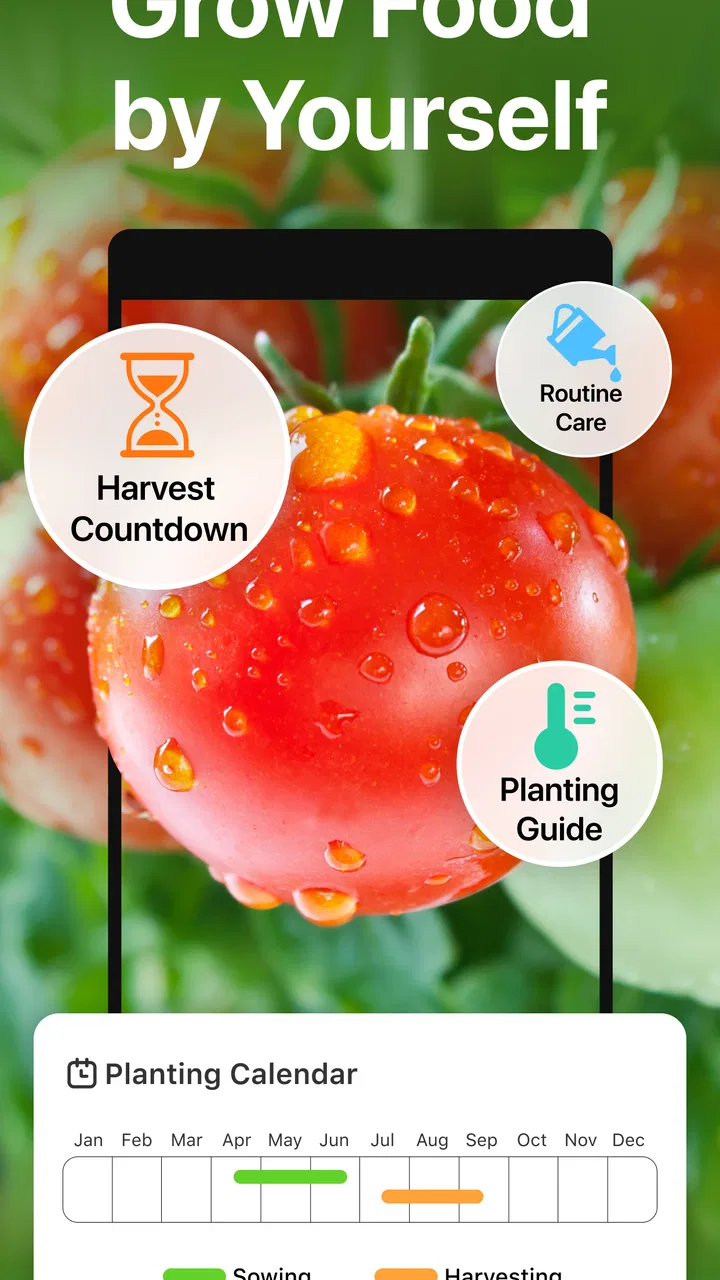
The app provides practical support throughout the gardening process, including help with selecting vegetables, understanding planting requirements, and keeping track of regular care tasks. Depending on the features available in your version, you may also use it to monitor watering, feeding, growth progress, and harvest timing. It works best as an organized reference and reminder tool rather than a replacement for hands-on gardening.
03Is GrowIt: Vegetable Garden Care suitable for complete beginners?
Yes, the app is approachable for people who have little or no gardening experience. Its main benefit for beginners is that it brings essential information into one place, making it easier to understand what plants need and when to provide care. However, users should still consider local weather, soil quality, sunlight, and seasonal conditions, since gardening advice may need to be adjusted for their specific location.
04Does GrowIt: Vegetable Garden Care work offline?
Offline availability can depend on the feature and the version installed on your Android or iOS device. Basic information that has already loaded may remain accessible, but features involving synchronization, updates, account data, or online content may require an internet connection. Before relying on the app in a garden without reliable service, it is a good idea to open the relevant guides and confirm what remains available offline.
05Is GrowIt: Vegetable Garden Care free to download, and are there any limitations?
The app’s download price, advertising, subscriptions, and optional in-app purchases may vary by platform, country, and current store listing. Some gardening tools or advanced content could be restricted unless you upgrade, while the basic experience may be available at no cost. Check the Google Play Store or Apple App Store page before downloading to review the latest pricing, permissions, privacy details, and device compatibility.
Pros
- Clear planting guidance helps beginners choose suitable vegetables.
- Useful reminders can make regular garden care easier to maintain.
- Supports planning for different vegetables throughout the growing season.
- Encourages learning about watering
- sunlight
- and basic plant needs.
- Helpful reference for gardeners managing several crops at once.
Cons
- Some advice may not match every climate or local growing condition.
- The plant selection may feel limited for experienced gardeners.
- Reminders are less useful if notifications are disabled or ignored.
- Accurate recommendations depend on entering correct garden details.
- Some features may require extra time to set up before use.

GrowIt: Vegetable Garden Care
Gallery